
Blackboard App: How to download and use
You can access Blackboard on your mobile device by downloading the free Blackboard Learn app.

You can download the Blackboard Learn App from the Apple App Store or Google Play depending on the type of mobile device you use.
- Search for “Blackboard” in your device’s App Store:
– Apple iOS devices
– Android devices
– Windows mobile devices
How to log-in to Blackboard app?
- Open Blackboard app
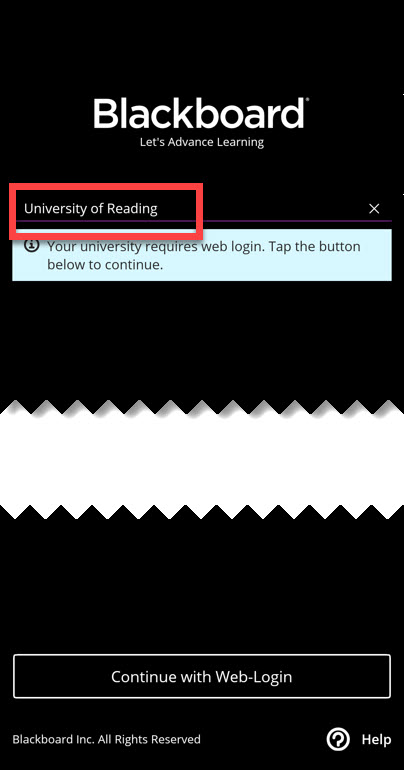
- Tap on Search for your School, type in “University of Reading“
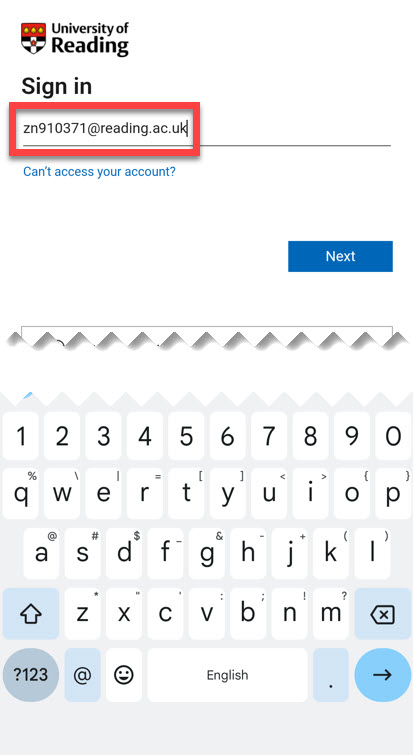
- click on the “Continue with Web Login” button. You will now be taken to the University’s Microsoft sign in page inside the app.
- sign-in using University login details e.g. abc1234@student.reading.ac.uk,
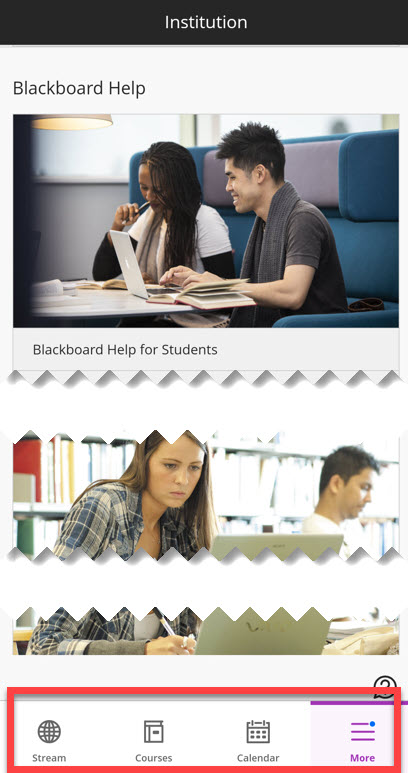
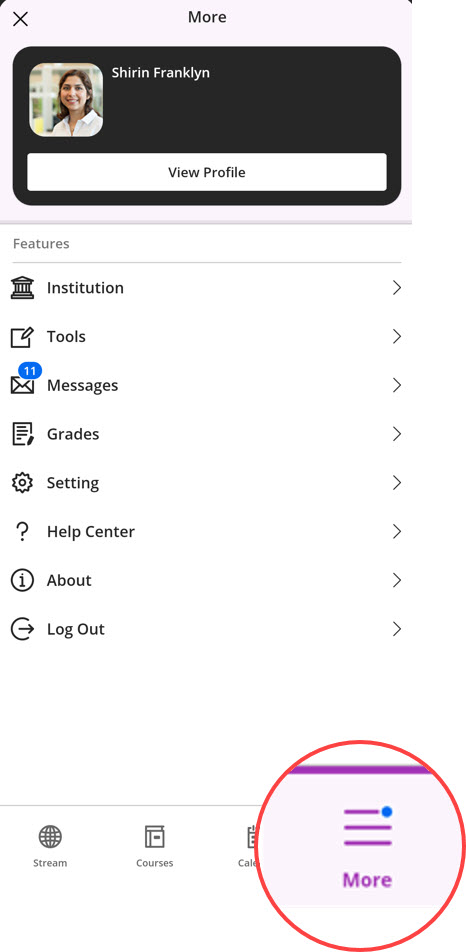
Once you’ve successfully signed in, you’ll be directed to Blackboard’s homepage, where you can access your courses and Activity Stream at the bottom of the screen. Through the ‘More’ menu, you can access Grades, Messages, and other useful links.
Need help? Should you have any questions or need help, please contact the TEL team via the Self Service Portal.
Guide last updated on March 13, 2026