
Occasionally, users may need to clear browser cache to resolve intermittent Blackboard issues. Please follow the steps below to clear your browser cache:
Recommendation: If you don’t remember your passwords, and working on urgent tasks, try a different browser instead of clearing cache.
- Open your browser
- Press Ctrl + Shift + Delete (Windows) OR Command + Shift + Delete (Mac) OR Command + Shift + E (Safari)
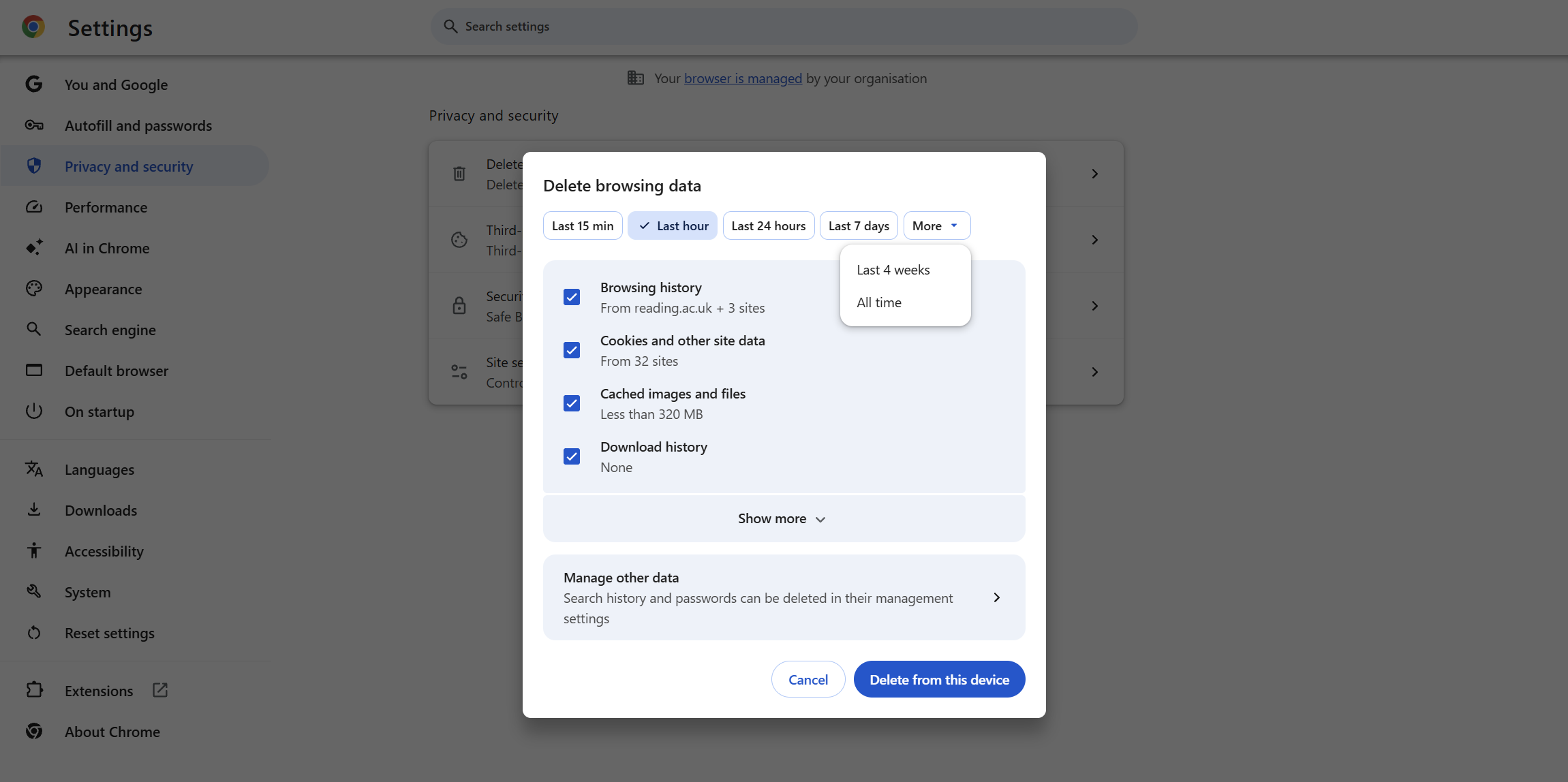
- Choose a time range (choose all time).
- Check all option – i.e. browsing history, cookies and site data, cached files, download history, passwords, and autofill data.
- Click Delete data.
- Close and re-open browser
If clearing cache doesn’t resolve the issue, please raise a support ticket.
See screenshot below of “Google Chrome settings page” for a quick visual guide:
Guide last updated on November 24, 2026