
You can copy a Rubric from one question to another – in the same assignment, or in any assignment in any course where you are the Instructor.
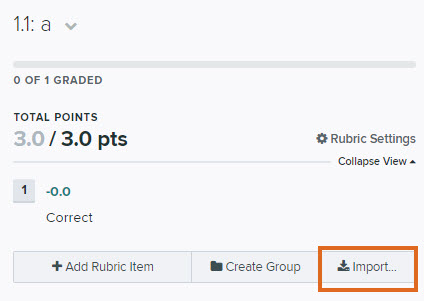
In the rubric editor, click Import.
- Select the course and assignment to copy from (this could be the same course)
- Select the question to copy from
- Click Import Rubric
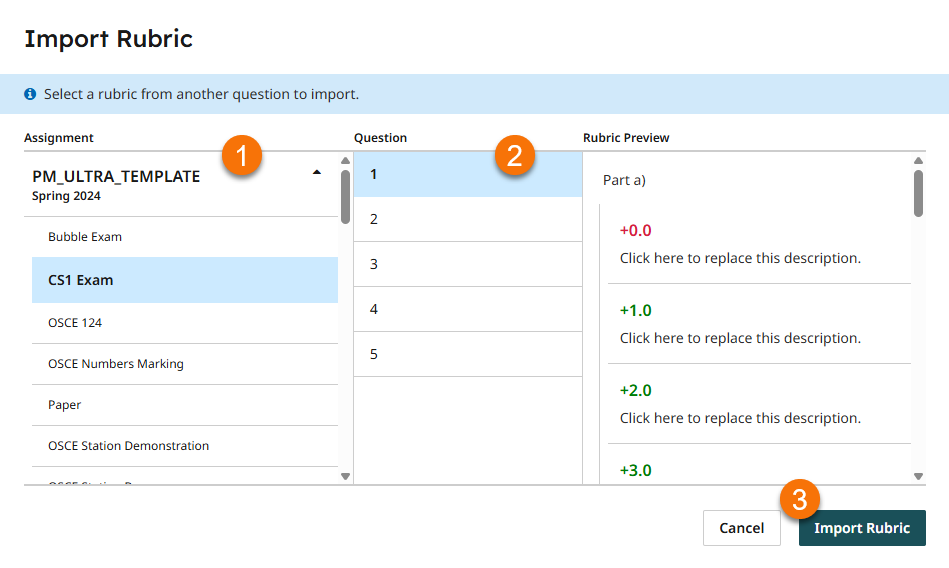
This will then add all the rubric items from that question to the question you’ve imported to.
This can be useful when pre-preparing rubrics in another course for departmental use in multiple assignments and exams.
See the Gradescope guide Importing rubrics
Guide last updated on March 27, 2026