
When you create a Gradescope assessment on your course, clicking on the link in the Content Market opens Gradescope in a new window.
The first time you do this, if you are an Instructor or Teaching Assistant you will see an invitation to link your Blackboard course to a Gradescope course.
Select A new Gradescope Course
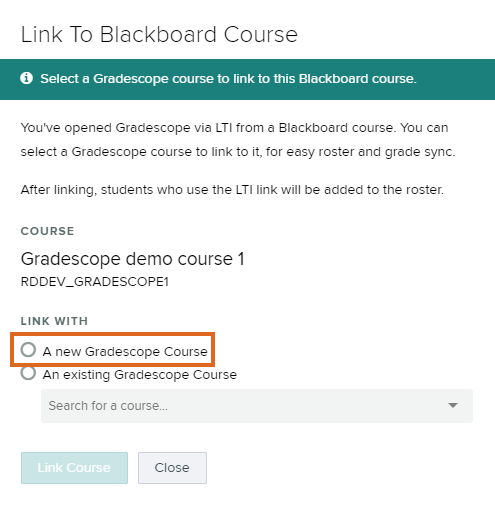
A new Gradescope course will be created. The Course Number and Course Name will match the Blackboard Course ID and Name.
You will most likely then immediately be able to proceed to create an assignment.
Link to Existing Course
If you need to link a new assignment or module to an existing course due to a previous error. Choose Link with ‘An existing Gradescope Course’ and select the course.
This should not be used to link to previous courses or other courses in your department.
Guide last updated on October 14, 2026