
Whiteboard is a Microsoft Office application that can be used for collaborative and individual work, with options for blank-sheet style collaboration and document mark-up. MS Whiteboard can be opened in a limited browser version, via either Office.com or by sharing a Whiteboard in a MS Teams meeting, or using the app.
- Availability
- Key features
- App only
- Benefits
- Considerations and limitations
- Copyright information and liabilities
Availability
- Free (university subscription)
- Online (limited, browser-based)
- Teams Meeting (limited)
- App (Desktop, Android, iOS)
Key features
- Collaborative working in real-time
- Freehand drawing tools (colour pen & eraser)
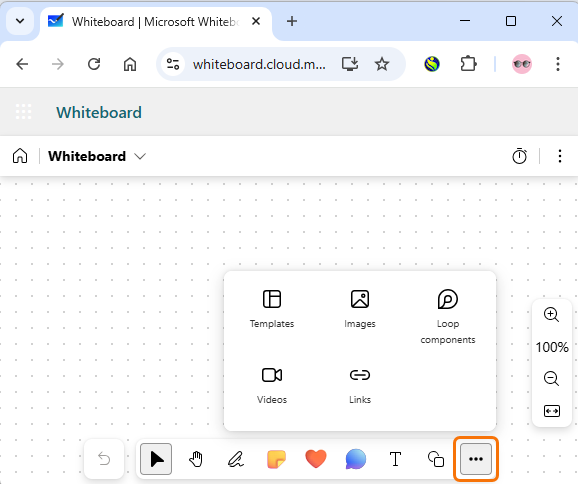
- Insert basic text, Sticky Notes, shapes
- Integration with Teams
- Autosaves progress
- Export as an image (PNG)
- Insert local, web, or camera images
- Alternative grid-backgrounds
- Premade templates for group work
- Accessibility features
App only
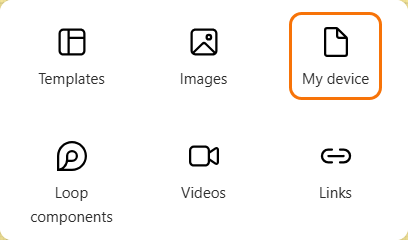
- Insert files for markup (insert whole documents or individual pages from PDF, Word, PowerPoint documents)
Benefits
- Integrates with Office products
- Simple interface
- Mobile-friendly
- Saves automatically to the cloud
- Easy ad-hoc activity
Considerations and limitations
- Requires some practice and clear managing of expectations
- Annotations are anonymous – requires trust in students
- Better with small groups
- App version does not integrate with Teams meetings
- Cannot be locked from editing after a session
Copyright information and liabilities
- When adding third party content (such as images or videos) you must follow guidance on making copyright law work for you in your University teaching (useful copyright FAQs can be found on the University IMPs webpages). You may also find suitable content via the university collections or free image sites such a Pixabay, Unsplash and unDraw (always check the usage terms).
Guide last updated on May 11, 2026