WarpIt

WarpIt is an online portal (a bit like eBay), where members of staff can upload details of unwanted University furniture, office accessories and stationery (in good condition), and can claim any items listed there for free for business use. The WarpIt portal for the University of Reading is overseen by the Sustainability team (as the Admin). Any member of staff with a reading.ac.uk email address can register to login to WarpIt so that they can view and claim items listed on the portal, as well as upload details of unwanted items. WarpIt is not a location for furniture storage. If you have used WarpIt before and want to log in, click on the logo above to access the site.  If you would like more information, or want to register for access, please read the sections below.

PLEASE NOTE: On 10 August 2026, WarpIt was upgraded to V2, and is now operational again; but does look different and has some new functionality. One of the main changes is that you can now upload a photo of an item that you want to advertise, and the system will automatically produce a description and other details.

Please note that the furniture take-home clearance event has now ended, so items on WarpIt can only be claimed for internal University business use, not for personal use.

1. Introduction to WarpIt

What is WarpIt?

WarpIt is an on-line portal for members of staff across all campuses, which enables the re-distribution and re-use of unwanted items.  Common items put on WarpIt include (but are not limited to) desks, chairs, pedestal units, stationery, etc.  WarpIt allows you to advertise unwanted items and to claim available items (normally only for business use at the University).  It is free to advertise and to claim unwanted items via WarpIt, so you benefit by avoiding costs associated with purchasing new items, or disposing of unwanted items.  Please note that if you require assistance from Portering Services to move items, there will be a charge for this help – please see the guide below or contact porters@reading.ac.uk for more information.

What can and cannot be advertised?

Furniture, office accessories, stationery/supplies, computer peripherals (e.g. keyboard, mouse) are encouraged on WarpIt.

Please note that certain items are not allowed:

  • Personal belongings – do not advertise personal items/items brought in from home – this is because anything advertised on WarpIt must be owned by the University.
  • Computers, laptops, tablets and mobile phones – these must be returned to DTS via the Reuse & Recycle Service.
  • All electrical items, regardless if they have a valid PAT test or not.
  • This includes portable data holding items such as memory sticks.  Please see “notes on electrical items” below for further information. 
  • Confidential material, including paperwork, memory sticks, CD-ROMs, videos that  are data holding – they must be securely disposed by completing a disposal request.
  • Broken items or items which pose a health and safety risk. Please dispose of these appropriately.
  • Chemicals or other hazardous material. Contact waste@reading.ac.uk for assistance with these.

Notes on electrical items

Electrical items are not permitted under the terms of transfer in WarpIt, so are excluded from the portal.

However, it is recognised that re-using electrical equipment within the University can be beneficial.  Therefore, informal swapping of electrical items between Schools or Functions outside of WarpIt can be undertaken, but is at your own risk.  Care needs to be taken with data holding items (e.g. computers/laptops) to ensure that there is no breach of data protection – if in doubt, please contact IMPS for advice.  Schools and Functions should check items carefully before taking ownership of them, and arrange for PAT testing to be carried out on the items before using them.  Broken electrical items should always be disposed of by completing a disposal request form.

If you have electrical equipment that is re-useable, but not needed by other Schools/Functions, please consider if it could be re-used via the University’s approved equipment reseller, UniGreenScheme.  If you have identified a different company/person you would like to pass equipment on to, please discuss this with the University’s Procurement Team.

Who can claim what, and when?

The Re-Use procedure sets out a hierarchy of how surplus assets in good condition should be re-distributed.  In summary, re-use internally at the University must be prioritised.  This is followed by re-use by other local 3rd party organisations, and if the item still does not find a home, it can be advertised to staff to take home for personal use.  Disposal is the last choice.

WarpIt automatically helps manage this process.  Usually your item is only advertised internally, but during occasional “clearances” organised by Sustainability Services it will also be advertised to charities and organisations the University has chosen to work with; as well as to staff for personal use (to take home). Please note that charities and organisations are currently being considered; if you have any suggestions please contact waste@reading.ac.uk

2. Getting started – the basics

Register to use WarpIt

WarpIt is linked to your University of Reading IT Username and password, so, after you have registered as a WarpIt user, you will then automatically be logged into your WarpIt account whenever you are logged into your University IT account on an applicable device (this is called Single Sign On).  Click on this link to go to the University’s WarpIt sign-up page and create your account.  You will need to use your University email address and phone number to register.  You will receive a confirmation email once your account is approved.  Please allow up to 3 days for your registration to be processed; but if you think something’s gone wrong, or you need access quickly, please send a message to waste@reading.ac.uk

Log in and start exploring

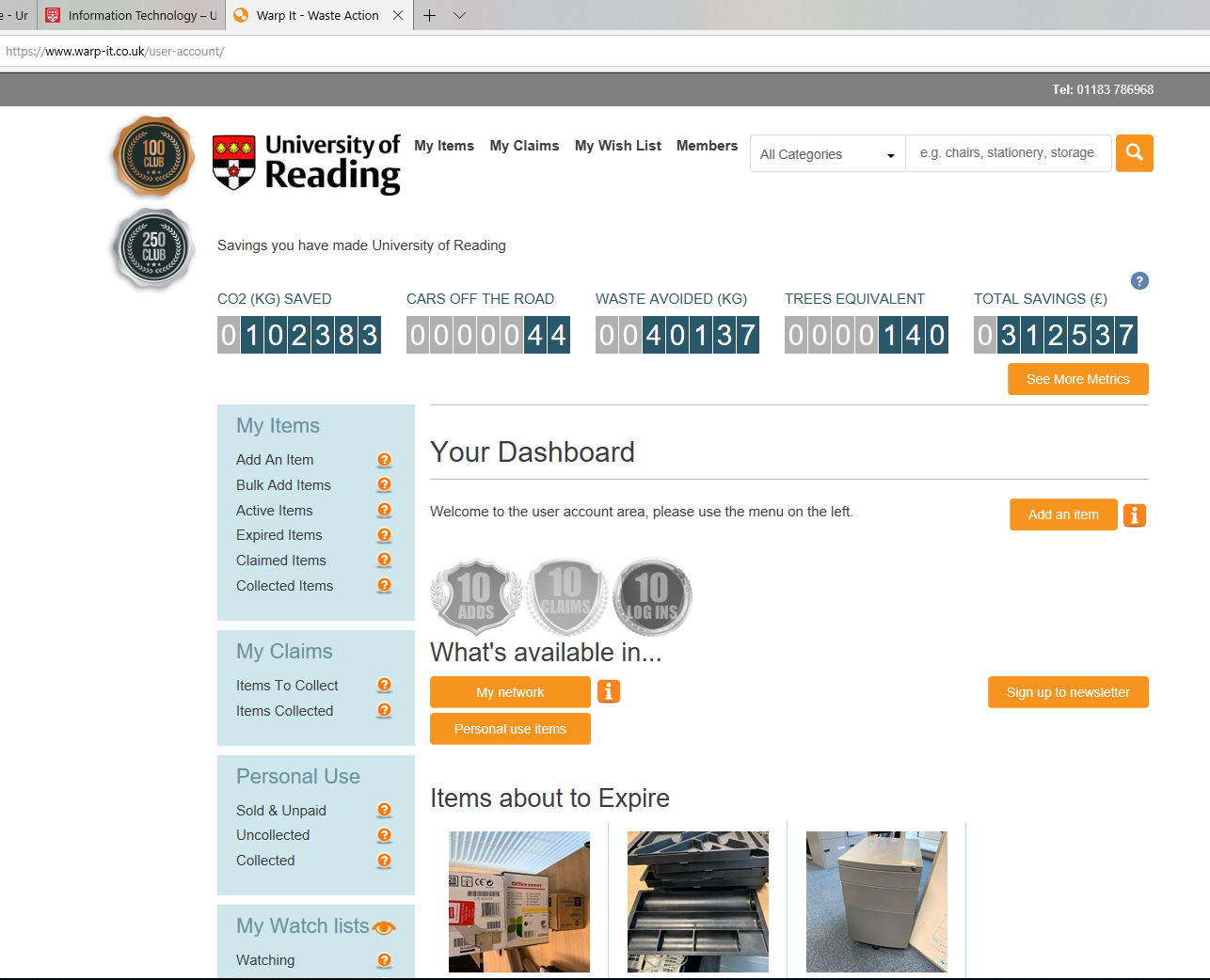
The website address for the University’s WarpIt portal is warp-it.co.uk/rurecycling.  If you are logged into your University IT account, then you should be automatically re-directed to your personal WarpIt account (if this is not the case, there will be a log-in box on the page, where you will need to enter your WarpIt account details).  The Your Dashboard page is your main homepage, and will show a summary of the items available at the University, or you can Browse Supply Listings to see the full list of available items.  You can return to Your Dashboard at any point by clicking the University logo in the top-left corner of the screen.  Items are available on a first-come, first served basis.

Advertise items

Use the Listings drop-down at the very top of the homepage and then click on the List Supply Item button to offer surplus or unwanted items for re-use.  Please ensure you have permission from your budget holder to advertise items.  The easiest way to advertise an item is to upload a good photo, and the system will then produce a draft description for you to review.  It is best to add as much information about the item as possible.  As a guide, items should typically be advertised for a minimum of one month in line with the Re-Use Policy.  You can advertise an item in advance by setting an “advertise from” date (i.e an available from date) – other people can see the details of the item but cannot claim it until it is available.  If no-one claims your item by the deadline you set, either re-advertise or complete a disposal request.  If you have identified an external company/person who you think might be interested in the equipment, please discuss this with the University’s Procurement Team.

Claiming items and arranging collection

Click on the listing for a specific item and select how many of the item you would like (if there is more than one available); and then click on the “Claim” button.  You can also ask questions about the item (for example to clarify the size or colour) by using the Questions & Answers section lower down on the listing.  It is your responsibility to check the item before you claim it – it is advised that you arrange a viewing where necessary.  For items located in Elmhurst Barn, you can arrange a viewing by contacting the Porters via porters@reading.ac.uk.  Elmhurst Barn is located at the junction of Elmhurst Road and Upper Redlands Road, with access through the parking area for 5-11 Elmhurst Road. For items located in Miller G10, you can arrange a viewing by contacting the Porters via porters@reading.ac.uk.

The person claiming the item(s) is responsible for arranging and covering the cost of collection/delivery of the item.  The claim confirmation email will contain details of what to do.  If you require the Porters to assist with delivery of items to locations on any campus, please complete an online Estates Job Request via the Concerto systemDuring “take-home clearances”, please note that the Porters cannot assist with collecting and delivering items for third party organizations, or for staff taking items home – for more information on this, refer to Section 3.

After items are claimed and delivered

When items you have claimed on WarpIt have been delivered to you, or collected by you, please mark each one as received.  Log in and go to the Claims drop-down at the very top of the homepage, and then click on “My Claims”.  You will see a list of items you have claimed.  When an item has been delivered to you, please click on the ‘Mark Complete‘ button underneath that item.

3. Different types of claims

Claiming items for internal use at the University – See Section 2.

During clearances: items claimed by other organisations

During occasional “clearances” managed by the Sustainability team: Certain items advertised on WarpIt will be made available to charities and local organisations the University has chosen to work with (although these items can still be claimed for business use at the University as well).  These organisations are required to agree to the University’s Terms and Conditions, via a process agreed with the Procurement department, which helps to protect the University and its staff. Please do not release any items until the organisation has formally agreed to the University’s Terms and Conditions.  The organisation is responsible for arranging collection of the items from the University – please note the Porters are not able to offer a delivery service for third-parties – but access to the location where the items are stored needs to be pre-arranged with the Porters; and a copy of the claim confirmation email must be provided.

During clearances: claiming items to take home for personal use

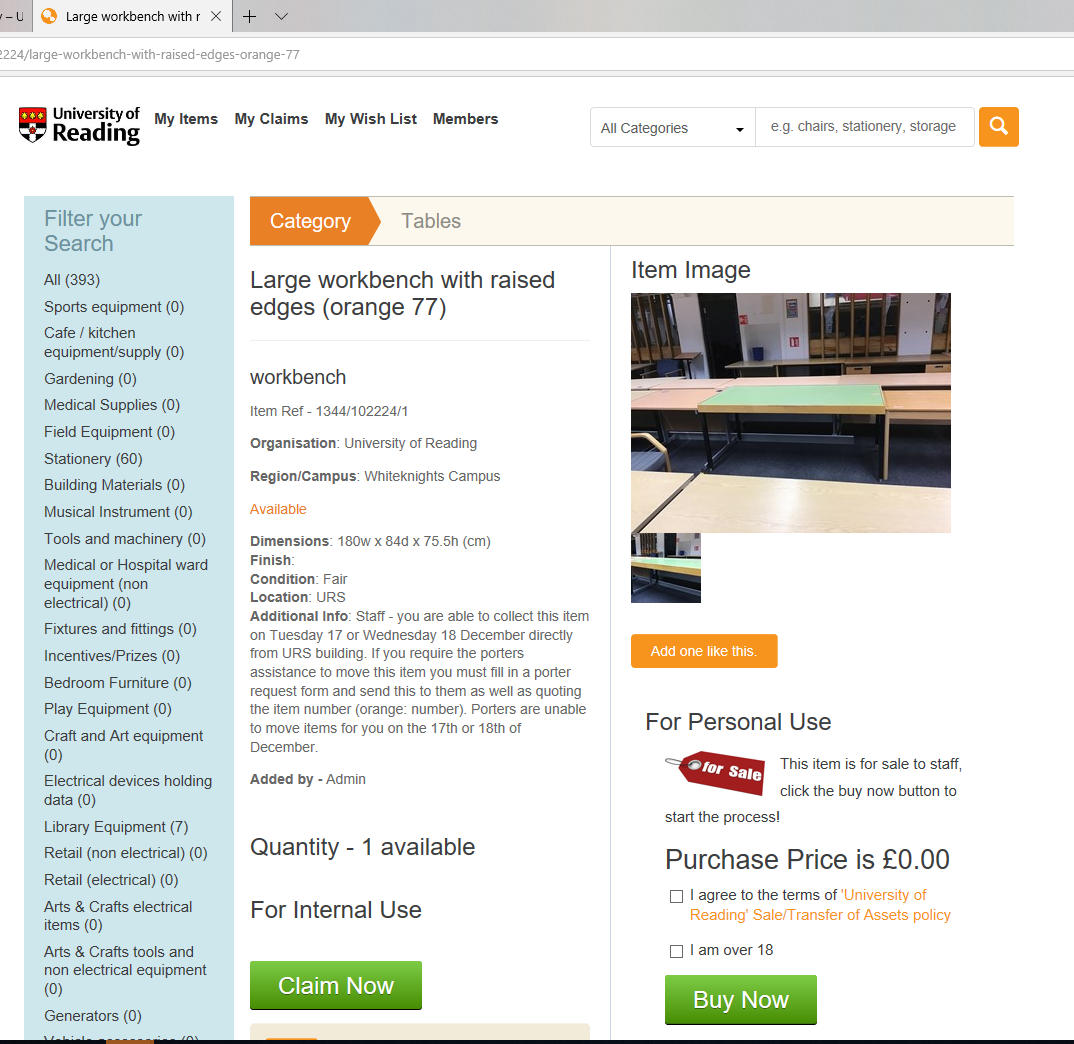
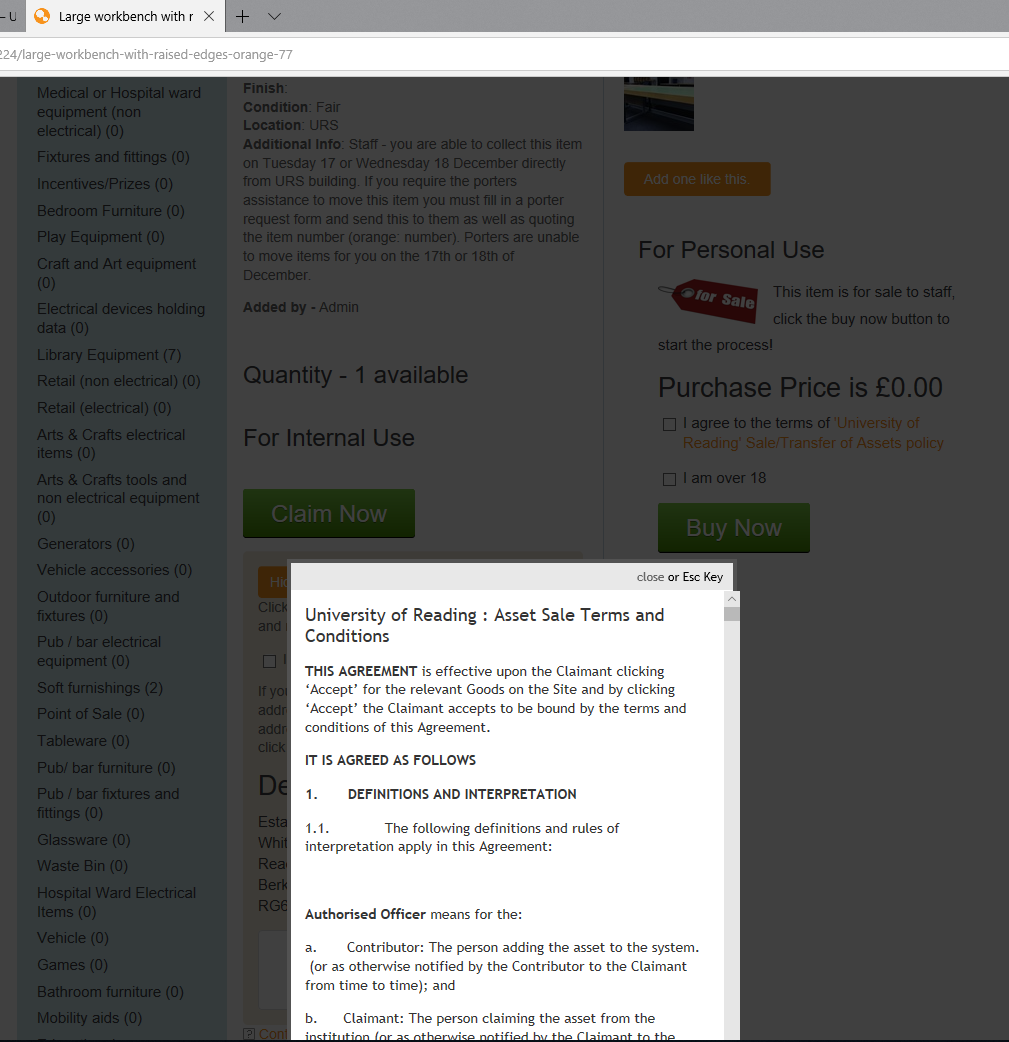
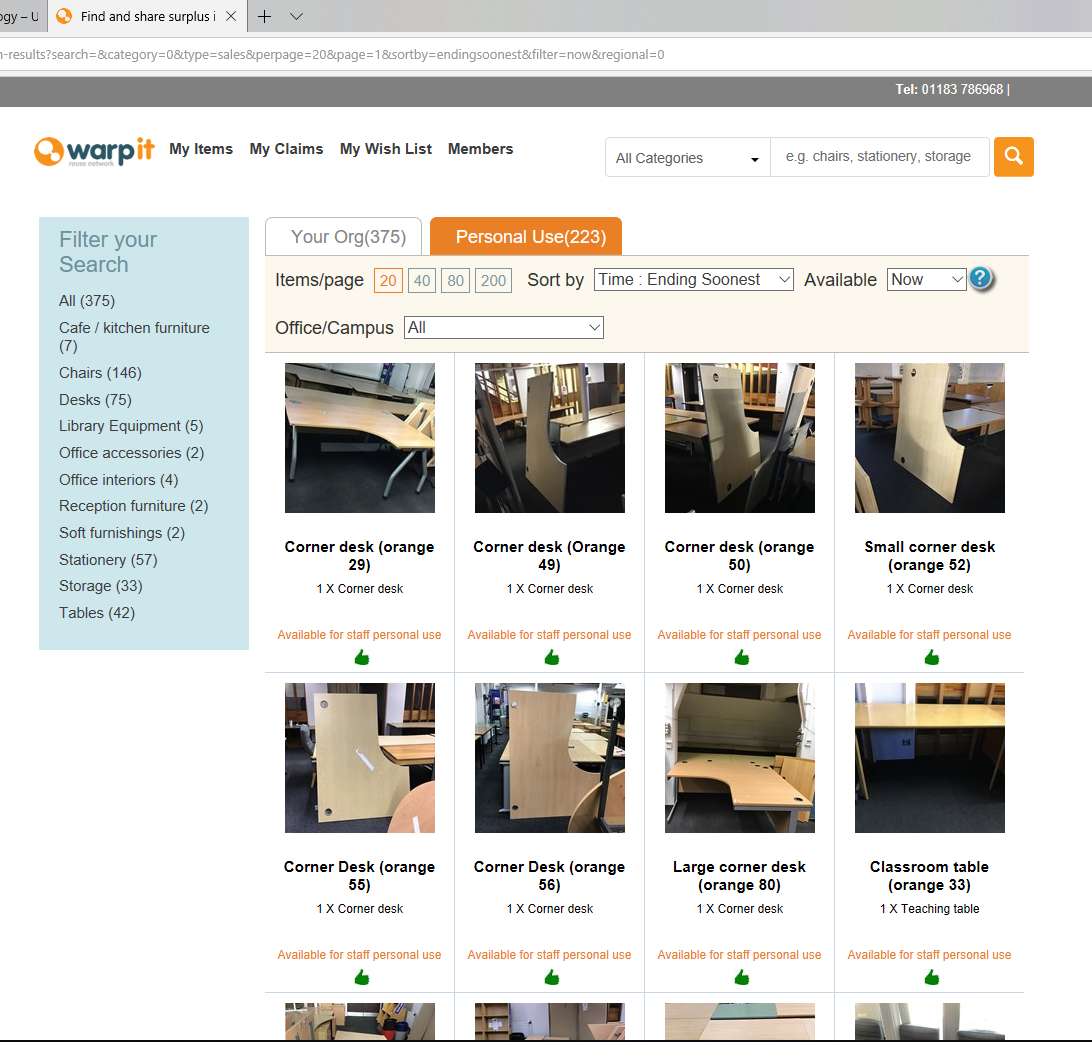
During occasional “clearance” events managed by the Sustainability team: Certain items will be advertised on WarpIt to staff to take home for free for personal use (a specific ‘Buy Now’ button will appear on each applicable listing in order for an item to be claimed, but the cost will be set to zero).  These items can also be claimed for internal use at the University by using the ‘Claim Now’ button.  The ‘clearance’ items can be viewed in the WarpIt portal by clicking on the ‘Personal use items’ button within the Your Dashboard page; or on the ‘Personal Use’ tab in the My Network area – see an example screenshot below.  To claim an item for personal use, you will be required to agree, via WarpIt, to a set of Terms and Conditions, which help to protect the University and its staff – items cannot be claimed until you have agreed to the Terms and Conditions.  Once you’ve read and agreed to the Terms and Conditions, tick the boxes on the right-hand side to indicate you agree and are aged 18 or over; on the left-hand side select how many of the item you would like (if there is more than one available); then press the ‘Buy Now’ button on the right-hand side.  The person claiming the item is responsible for arranging collection from the storage location and must make their own transport arrangements – please note the Porters are not able to offer a delivery service for items claimed for personal use.
 

4. Other hints and tips

Visiting Elmhurst Barn and claiming items

For items listed as being located in Elmhurst Barn, you are welcome to visit Elmhurst Barn to view these items, however, it is not normally manned – visits can be booked by contacting the Porters (porters@reading.ac.uk).  If you want to claim items, you must claim them via WarpIt.  You cannot claim an item by asking the Porters to reserve it for you, nor by putting a notice on an item. You cannot take an item from Elmhurst Barn unless you have already claimed it via WarpIt and you can show the claim email to the Porters. Elmhurst Barn is located at the junction of Elmhurst Road and Upper Redlands Road, with access through the parking area for 5-11 Elmhurst Road.

Cancelling claims

If the item has already been delivered to you:  it is your responsibility to re-advertise it via WarpIt, or to raise a Waste Disposal Request for it to be removed by the Porters.

If the item has not been delivered yet:  Log in and go to “My Claims” and then “Items to collect”.  There is an option to cancel the claim, which will only notify the item owner – it will not notify Portering.  Therefore, you must also make sure to cancel any Portering assistance or you may still be charged (and may also receive the item!).

What to do if an item doesn’t get collected

Please contact the person who has claimed the item and remind them to collect it.  If, after a reasonable length of time, they have not responded to you, or have not arranged collection, contact waste@reading.ac.uk and the claim can be cancelled, allowing your item to be re-advertised via WarpIt.

For items in Elmhurst Barn: if the person claiming the item has not contacted the Porters within 3 weeks of the claim date to discuss delivery, or no delivery request has been raised within 3 weeks of the claim date, the claim will be cancelled and the item re-advertised.

How to deal with valuable and/or unusual items

If you have an item you believe to have significant value, or if you wish to sell an item belonging to your department, please contact Procurement for advice (procurement@reading.ac.uk).  Please also consider whether your item might be suitable to send to UniGreenScheme, the University’s equipment reseller.  Items cannot be sold on WarpIt.  If you feel that the item is unusual and you require assistance advertising it on WarpIt, or you are not sure if it should be advertised, please contact waste@reading.ac.uk for advice.

Site etiquette

Misuse of WarpIt will be investigated and appropriate action taken, which could include suspension or removal of a user’s account from WarpIt.  Examples of misuse include (but are not limited to):

  • Persistently advertising items with a short date without good reason, to fast-track donations to third-parties or so staff can take items home.
  • Persistently claiming your own items without adequately advertising them in line with guidance above (see Section 2).
  • Claiming items marked for business use only, but then taking them home.

These would be against the University’s Re-Use Procedure, as internal re-use has priority over re-use by third-parties and personal use by staff.

What should I do with unwanted items that I don’t have time to advertise on WarpIt?

If you or your department have unwanted items that you want to get rid of straight away and don’t have time to advertise on WarpIt, please complete an online Waste Disposal Request Form (do not complete a Help Desk Request).  Schools and Directorates must cover the cost of disposal of unwanted waste items in line with the University’s Utilities & Waste Recharge Policy. For this reason, a valid Project Code must be given when filling in the Waste Disposal Request Form. The waste disposal cost is covered cnetrally by Sustainability, but there will be Portering charges. Once a Disposal Request is received it will be processed by the Porters, and a job will be raised and assigned a Concerto reference number. The Porters will then collect the items for disposal.

Where items of furniture in good condition are sent for disposal via the Waste Disposal Request Form process, the Porters will collect them and assess them, and, at their discretion, might then put them into Elmhurst Barn or Miller G10, but only if there is space available.  Broken or unusable items will be skipped by the Porters.  Any items put into Elmhurst Barn or Miller G10 will be viewed by the Sustainability team and they will upload the item details onto the WarpIt portal (as the Admin), so that there is a second chance for them to be claimed for business use at the University.

If you want to discuss this further, please contact waste@reading.ac.uk